It’s that time of year again!
We’ve released this year’s #RWRentalRecap where you can see your Most Popular Pieces of 2026. As with any update, log out of your RW Elephant account, empty your browser cache, and then log back in to RW Elephant to see the Rental Recap.
Once you do so, you’ll see the “Let’s go!” button on your dashboard. Click there to head to our recap post generator.
You’ll see the Top 10 Pieces you rented in 2026. Keep in mind that the #RWRentalRecap only includes Rental Items that are displayed in your public gallery and were on Confirmed Orders. Conceptual Items, Internal Items, things that were on Proposals but never Confirmed, and Items that aren’t ticked to display in your public gallery don’t show up here.
So, let’s get started!
Step 1: Pick a Style
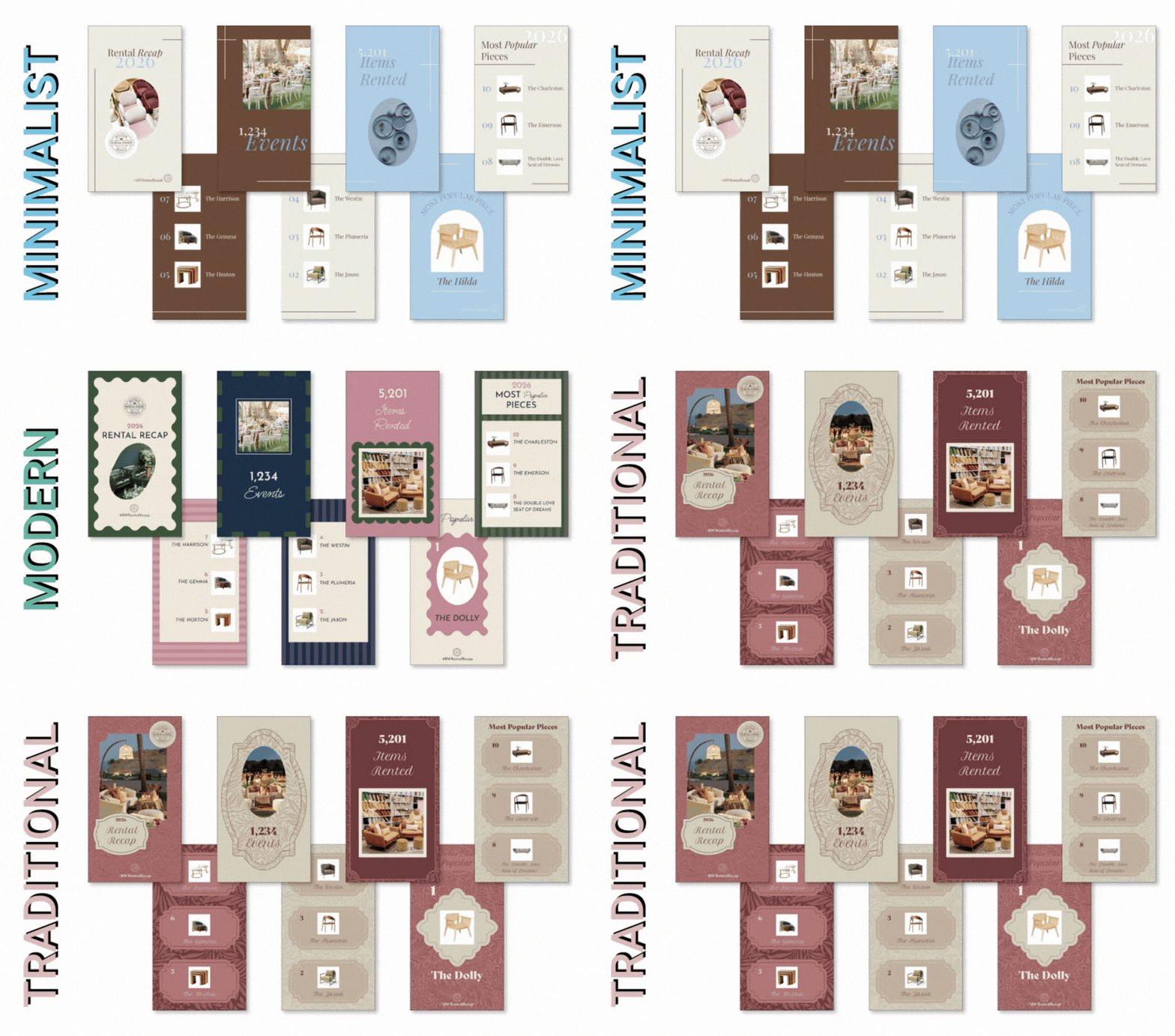
We have three styles for you to choose from including Traditional, Minimalist, and Modern. Pick the one that is the best fit for your brand.
Step 2: Choose Basic or Advanced
Choose between the Basic version or Advanced version. Basic only includes your Top 10 Pieces. The Advanced version also includes additional stats on the number of Events you completed as well as the number of Items you rented this year.
To make these posts and stories even more unique, we’ve added spots for you to upload your own images. First click the “x” to remove the placeholder image. Then click the black “Choose File” button to add pics that showcase what you did this year.
Keep in mind that the different styles use images of different optimal sizes. See below for ideal upload sizes.
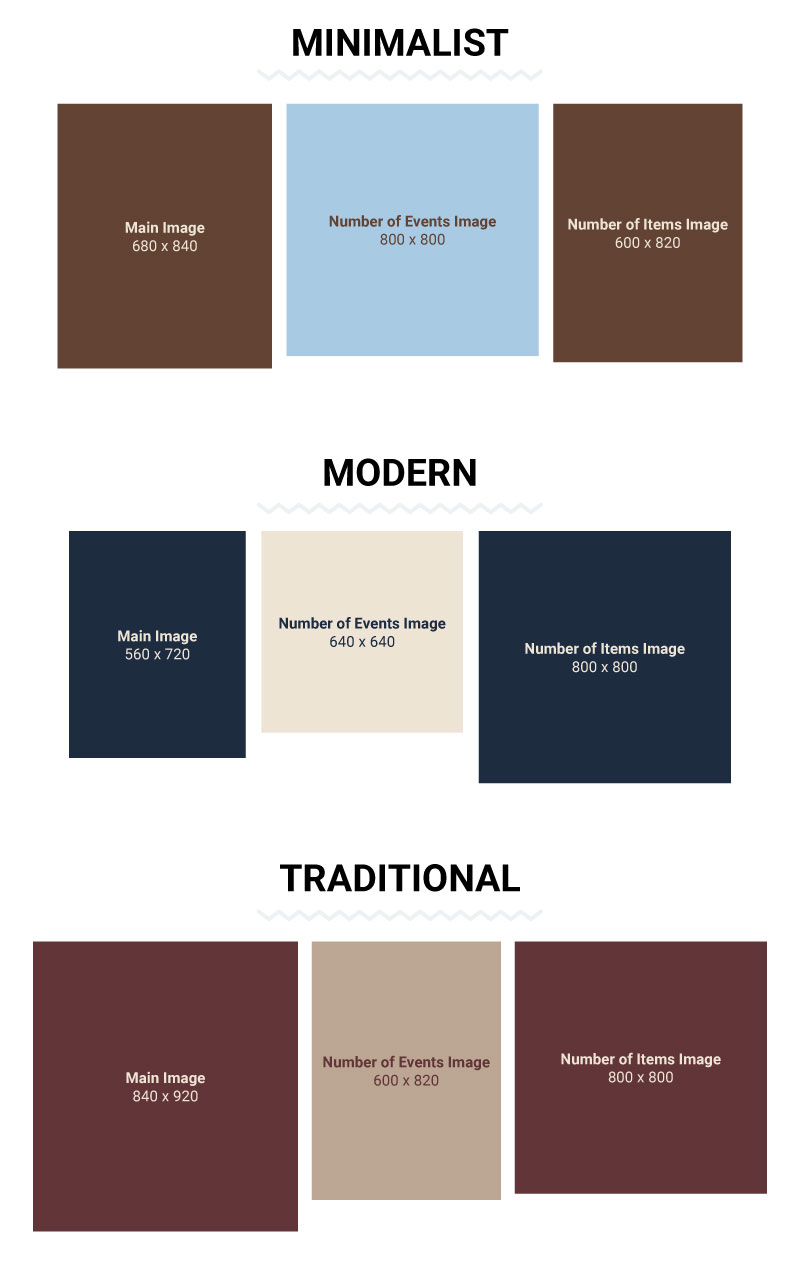
If you upload a different size, the system will crop it for you, but you won’t have the ability to choose where it is cropped.
Step 3: Customize the Colors
Pick the tones that match your brand guide. Select up to 4 colors.
Step 4: Select Story, Post, or both!
Our Story option is 16:9 and the Posts are 4:5. We’re sure you’ll be able to use these in lots of ways to show off your great accomplishments this year!
Step 5: Download your Images
Download individual images or all of them together.
Step 6: Post your Top 10 Pieces
Sing from the rooftops about what you did this year! And don’t forget to tag @RWElephant + #RWRentalRecap.
We can’t wait to see what you rented most this year!
Troubleshooting
Not seeing the 2026 Year in Review in your RW Account? Try logging out, clearing your browser cache, then logging back in. If you’re still having trouble, you can reach us at help@rwelephant.com. Please don’t hesitate to reach out!